
Hi everyone, I just wanted to share with you one of my favourite browser extensions that helps me save hundreds ( literally hundreds ) of pounds every month while I’m doing my online shopping. I cant believe I don’t believe i done my online shopping without honey in the past. At first i thought it was just a few coupons or codes that you could save maybe like 5 pounds or so and didn’t see the point in installing it when it first came out. I thought it was a scam, I’m a really big skeptic but it was only when a friend actually showed me proof of the savings they had from honey and i was like wow!
In this post I will show you some screenshots of my savings and my honey profile so you can see how it works, its super fast and easy to download and make an account with honey and you can start saving straight away. if you haven’t had honey before and you get it because of this blog post.. then please thank me in the comment section after you save !!
PayPal Honey, formerly known as Honey, is an American technology company and subsidiary of PayPal known for developing a browser extension that aggregates and automatically applies online coupons on eCommerce websites
– wikipedia
Once you have downloaded the honey extension and made an account you can start saving on books, clothing, travel, hotels and cosmetics etc. Honey will do all the work for you and will pop up with coupons on eligible webistes as you are surfing and shopping. Your profile can be personalised to your tastes and you can follow each merchant that you are interested in, for instance I follow boohoo and holland and barrett etc. See picture below.
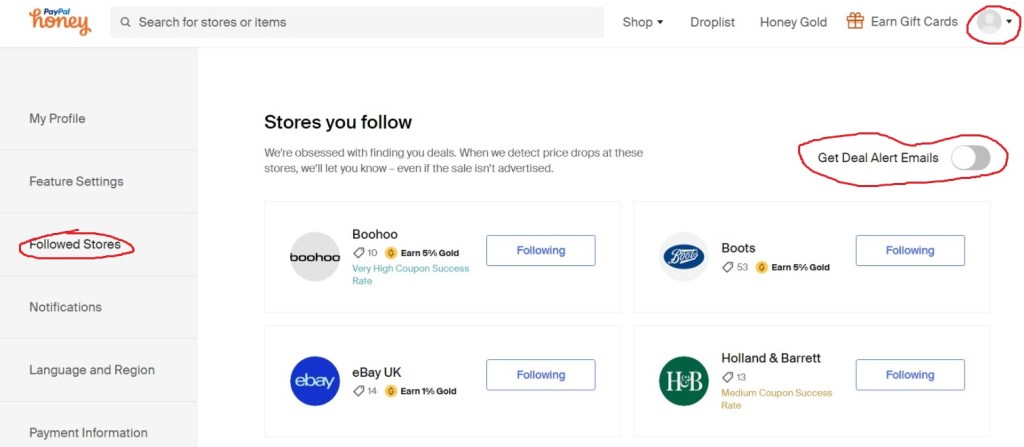
Above this is a list of the stores i follow on honey, you can access this by clicking the profile icon on top right side of screen that is pictured circled in red in the picture above then click on ” followed stores ” also circled in red on left side of screen, this will show you who you follow. You can see another red circled are ” get deal alert emails ” i have mine turned off just now as I follow a lot of sites and don’t want too many emails in my inbox. Honey applies coupons automatically at checkouts anyway so I can still shop and checkout without ever having to come onto the official honey website.
You can add items you may want to buy to your droplist which basically keeps you updated on any deals on the particular item, on the droplist tab you can also create a ” collection ” and name each after a topic of choice, like mine I did ” home ” and ” fitness ” etc. You can save items here for looking at in the future or to keep track of wanted items. i also have a ” gift ” collection for friends and family. It kinda feels a bit like pinterest when you are making collections but it is so great to keep organised.
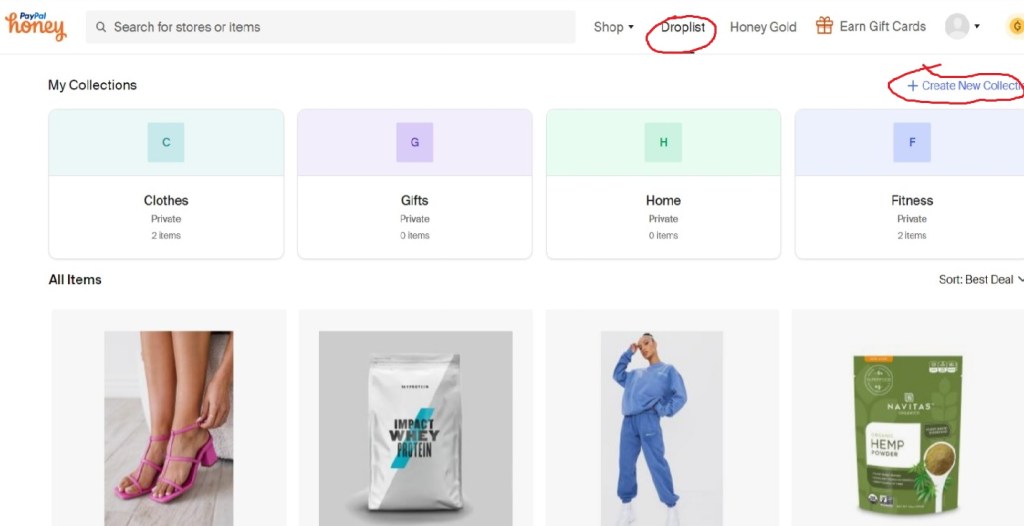
To access your droplist on honey just go to droplist at top of page circled in red in the screengrab above and this is where you will control your droplist items and your collections. see above circled in red “ create new collection ” click on this to name your collections. So easy !
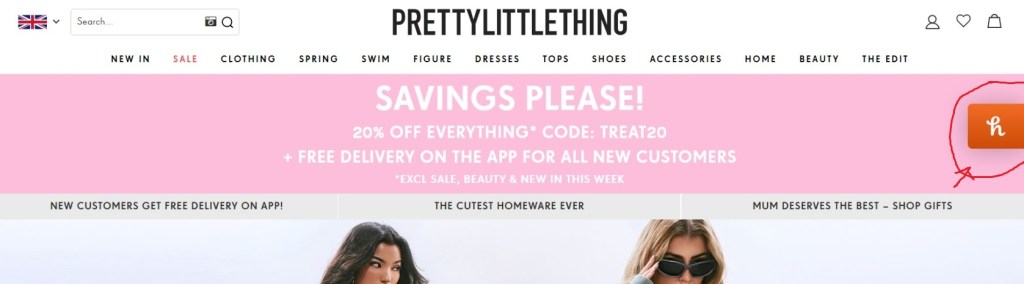
Above is an example of what paypal honey will look like while you are shopping online, the tab in the red circle will display all the money saving info you need for that particular website. I love seeing it pop up and also when I am in checkout I love when honey automatically applies the coupon codes.
Anything you are needing to buy you can easily search in the search bar and from here you can see your money saving deals, add to droplist or collections etc. The website has a beautiful design and functions really easily. If you have any questions or thoughts on paypal honey let me know in the comment section… Happy Saving !
Discover more from Beauty realm
Subscribe to get the latest posts sent to your email.
 Beauty realm